





Securely Share Files and Control Access Across Your Firm
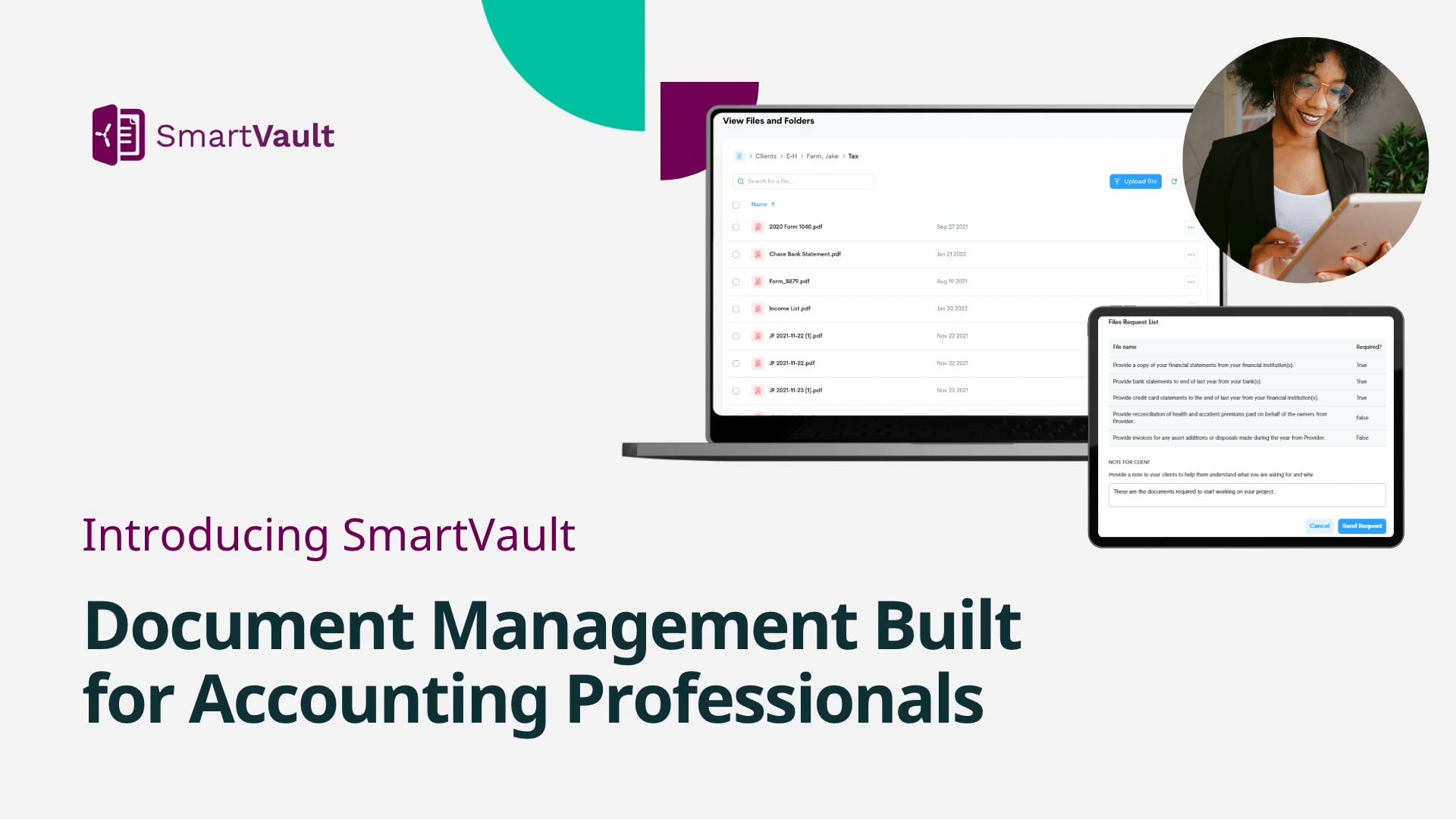
SmartVault gives accountants and tax professionals one place to securely share files with clients and staff, control access with confidence, and streamline workflows during busy season and beyond.

Why Accountants Trust SmartVault to Share and Secure

Secure, Encrypted Sharing

Role-Based Access Controls

Centralized Collaboration

Eliminate the Risk & Chaos of Disconnected File Sharing
- Emails getting forwarded or accessed by the wrong person
- Clients unsure of where to send or find their files
- No visibility into who accessed what or when
- Version confusion across disconnected folders
- Compliance and audit concerns with legacy file-sharing apps
Share Files, Store Securely, Work with Confidence
A clear, repeatable process for secure, efficient collaboration.
Step-by-Step Workflow:


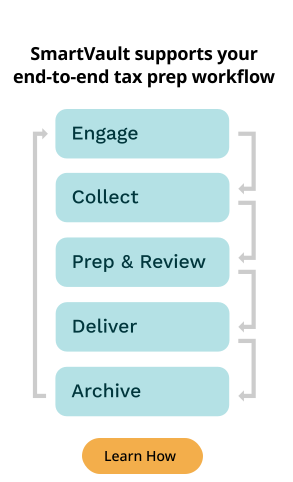
Upload files or save them directly from your tax software.

Organize with standardized folder templates.

Share with clients or team members using secure, permission-based links.

Access files from anywhere and track every action for full transparency.
Why 30,000 Accounting and Business Professionals Trust SmartVault
SmartVault supports over 3 million users, securely stores over 500 million documents, and has facilitated hundreds of thousands of signatures.

Everything You Need for Secure Sharing & Smart Controls
- Share files securely via SmartVault without risky attachments
- Control file access by user, role, folder, or project
- Expiring links, password protection, and user verification
- Real-time notifications when files are accessed or uploaded
- Audit logs to support IRS, FTC, and GLBA compliance
- Mobile and desktop access for anytime collaboration
- Unlimited client users and collaborators on every plan

Secure Sharing Designed for Accounting Firms
- Built-in audit trails, encryption, and permission controls
- Shared folders, role-based vaults, and unlimited client access
- Replaces risky emails, file drives, or free cloud tools
- Fully compliant with IRS Pub 4557, FTC Safeguards Rule, GLBA
- SOC 2 Type 2 Compliant and designed for firm-wide transparency
Compare How SmartVault Stacks Up
See how SmartVault delivers more value than generic file-sharing tools.


Have Questions? We’ve Got Answers.
How secure is SmartVault’s file storage?
Very secure. All files are stored in a SOC 2 Type 2 compliant repository and protected with advanced encryption. You also get audit trails, version history, and compliance support for IRS 4557 and FTC Safeguards. Learn more on our Security & Compliance page.
Can I prevent clients from seeing internal folders?
Yes. SmartVault’s role-based access controls let you choose exactly which folders or files each user can access. You can make internal firm folders completely invisible to clients while still giving them access to their own documents.
Are file links secure?
Yes. File links are encrypted and can be password protected or set to expire after a certain date. This ensures sensitive information is never shared through unprotected email attachments.
Can I track who has accessed the file I shared?
Yes. Every file access is logged. You can see who viewed, downloaded, or modified a file, and when, giving you full visibility and compliance reporting.
Can I give unlimited access to an outside auditor?
Yes. You can create an account for your auditor and set custom permissions so they only see the folders or files they need. This makes it easy to collaborate with third parties while still maintaining control.
What if a client uploads something to the wrong place?
If a client uploads a document to the wrong folder, you can easily move it to the correct one without losing any version history or audit trail. This keeps your file structure organized and ensures nothing gets lost.
Is there a limit to the amount of documents or storage space?
No. All SmartVault plans include unlimited cloud storage. You can securely store as many documents as you need without worrying about capacity.
Can I organize my documents by year, client, or entity?
Yes. SmartVault’s folder structure is flexible and can be customized by year, client, or entity—whatever works best for your firm. This organization, combined with powerful search, makes it easy to find the right document fast.
Can I access documents from my desktop or mobile?
Yes. With SmartVault’s Connected Desktop app, you can work directly from your desktop. Clients and staff can also access documents securely from any device, including mobile.
What types of files can I store or share using SmartVault?
You can store and share virtually any file type—including tax returns, source documents, engagement letters, PDFs, spreadsheets, Word docs, and image files.
Are there any limits to the file size I can upload or share?
SmartVault supports large file uploads, well beyond typical email attachment limits. If you regularly send very large files, SmartVault’s secure portal makes it simple and safe.
Can I share folders or just files with clients and staff?
Both. You can share an entire folder (such as a client’s tax year folder) or a single document, depending on your needs.
Can I share files directly from SmartVault’s Connected Desktop?
Yes. With the Connected Desktop, you can send secure file links directly from your desktop without logging into the web portal.
Is sharing via Connected Desktop secure?
Yes. Sharing via the Connected Desktop uses the same security protocols as the SmartVault platform, including encryption and password-protected links.
Ready to Secure File Sharing for Your Firm?
Give clients and staff a better way to access, upload, and collaborate on sensitive documents, with controls built for compliance.