


The Document Management System built for accounting firms.

Firm-wide custom folder template
One custom structure — identical in Connected Desktop and the Client Portal.
One system for every client document, from intake to archive.
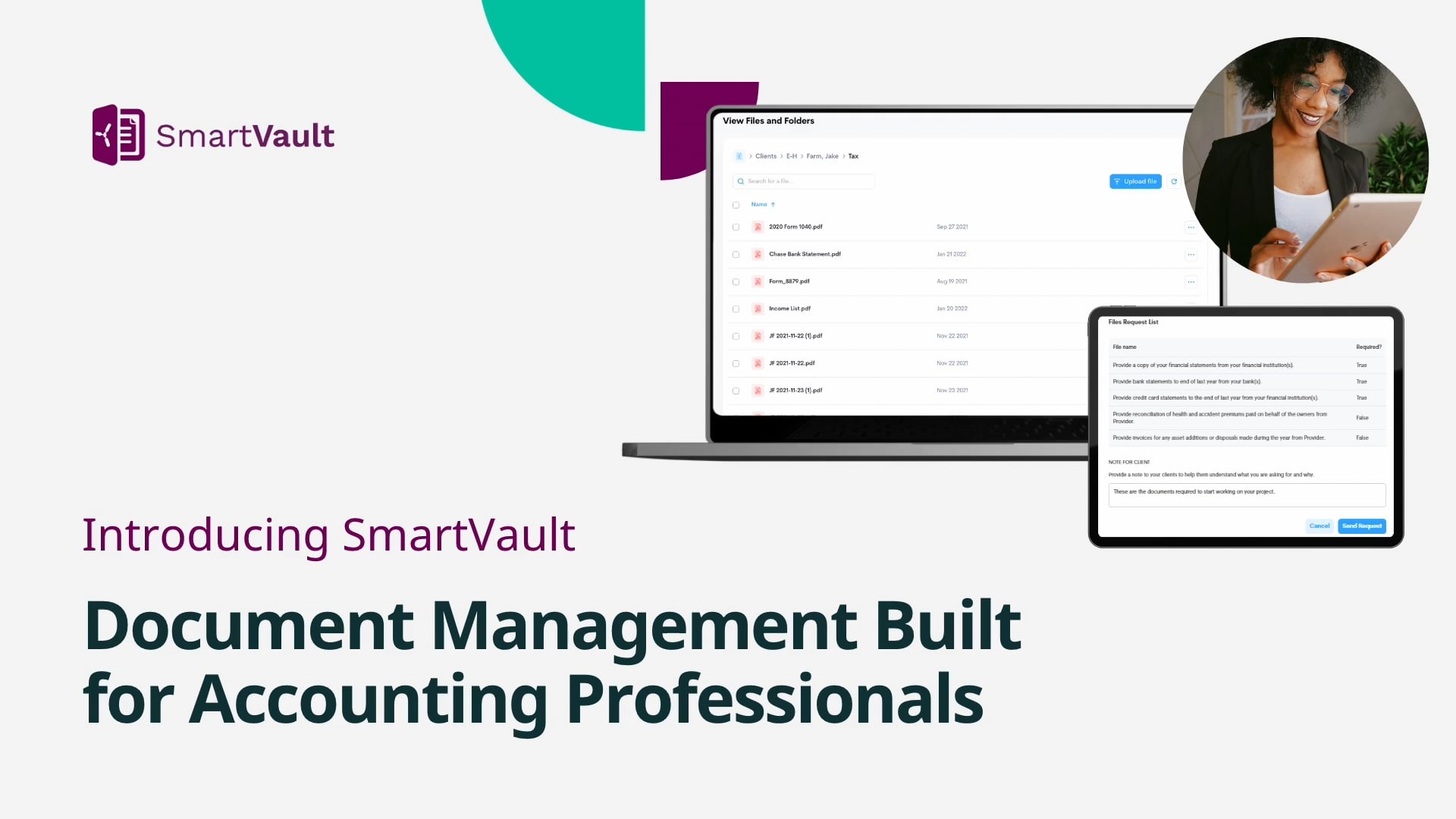

Bring every file into one system.
Document Chaos
- Email attachments
- Shared drives & desktops
- Inconsistent folder structures
- Clients uploading to the wrong place
- Insecure file sharing
- Staff hunting for documents
Multiple tools. Higher cost. Disconnected workflows.
SmartVault Organization
- One firm-wide folder template
- Automated routing from tax software
- Branded client portal & AI-built document requests (SmartRequestAI®)
- Granular permissions & audit trails
- Firm-wide search & visibility
- Retention & compliance built-in
One platform. Lower cost. Simpler tech stack.
Documents are only one stage of the workflow.
Engage, collect, prep & review, deliver, archive: see how the five stages hold together in one connected system.
More than storage.
A workflow-driven document management solution.
Purpose-Built for Accounting
Folder templates, permissions, and automation designed around tax work, not generic, unsecure cloud storage.
Workflow-Driven, Not Just Storage
Documents route, request, version, and deliver themselves, one source of truth, intake to archive.
Security & Compliance by Design
SOC 2 Type 2, ISO 27001 & 22301, encryption at rest and in transit, FTC Safeguards & IRS 4557 alignment.
Print-to-Filed Routing
Print from Lacerte, ProSeries, or UltraTax CS and returns route, name, and file themselves. One pass, straight from your tax software.
E-Signatures Built In
8879s, engagement letters, and KBAs go out and come back inside the same system, signed copies file themselves in the client's folder, no envelope fees.
SmartRequestAI Intake
Request lists built from each client's prior-year return, sent and tracked automatically. Clients upload securely, no email attachments.
A structure built for accounting firms.
Stop manually sorting documents. Capture them from wherever work happens.
Capture
SmartRouting
Auto-filing engine reads tags, engagement type, tax year and source to file every document automatically.
Correct Folder
Drag & drop uploads
From desktop straight into the right vault.
Client portal uploads
Clients upload securely to locations you define.
SmartVault PDF Printer
Print from any app straight to the client folder.
AI-built requests
SmartRequestAI asks — files land under the request that asked.
SmartVault integrates with major tax platforms


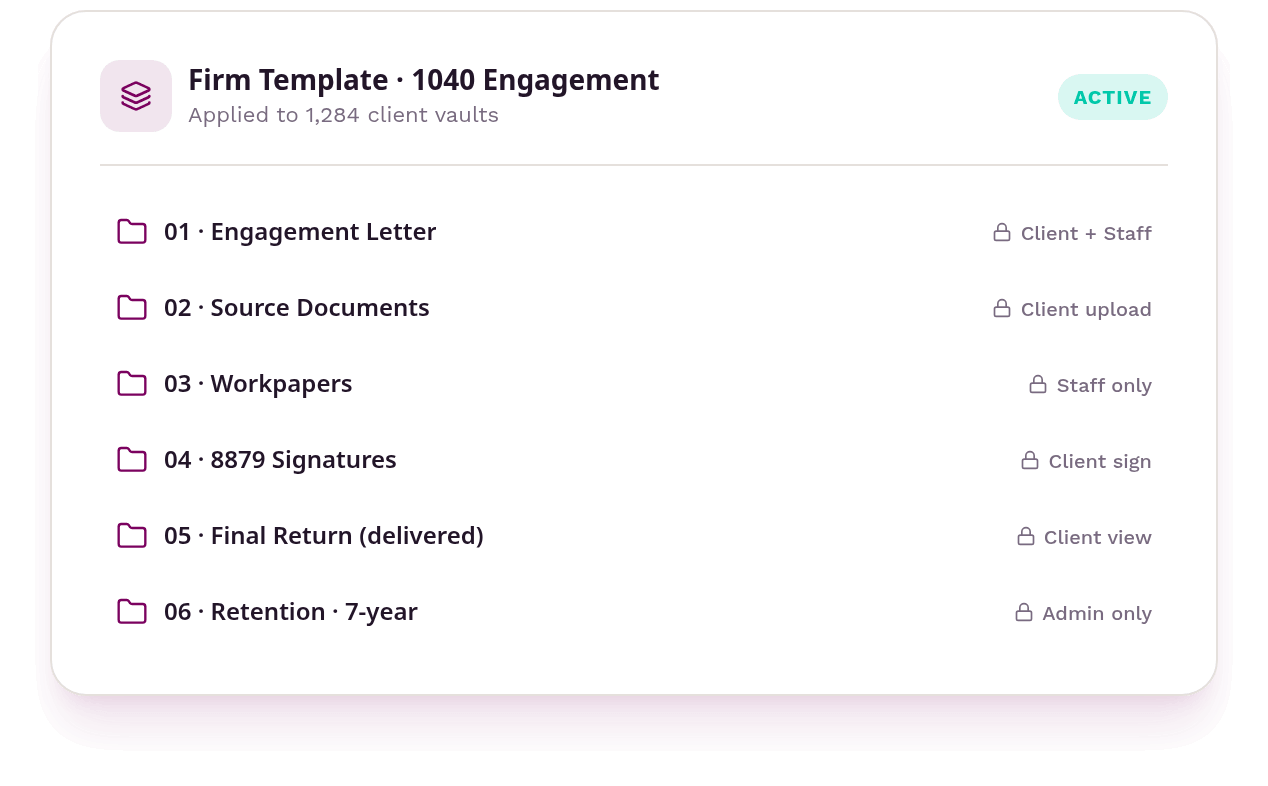
Every client organized the same way. Every time.
-
Standardized folder structures
One template, applied to every new client vault instantly. -
Predefined permissions
Roles and client-vs-staff visibility set automatically. -
Faster onboarding
New staff and clients ramp without reinventing structure. -
Consistent engagement structures
Tax, bookkeeping, payroll, advisory — filed the same way.
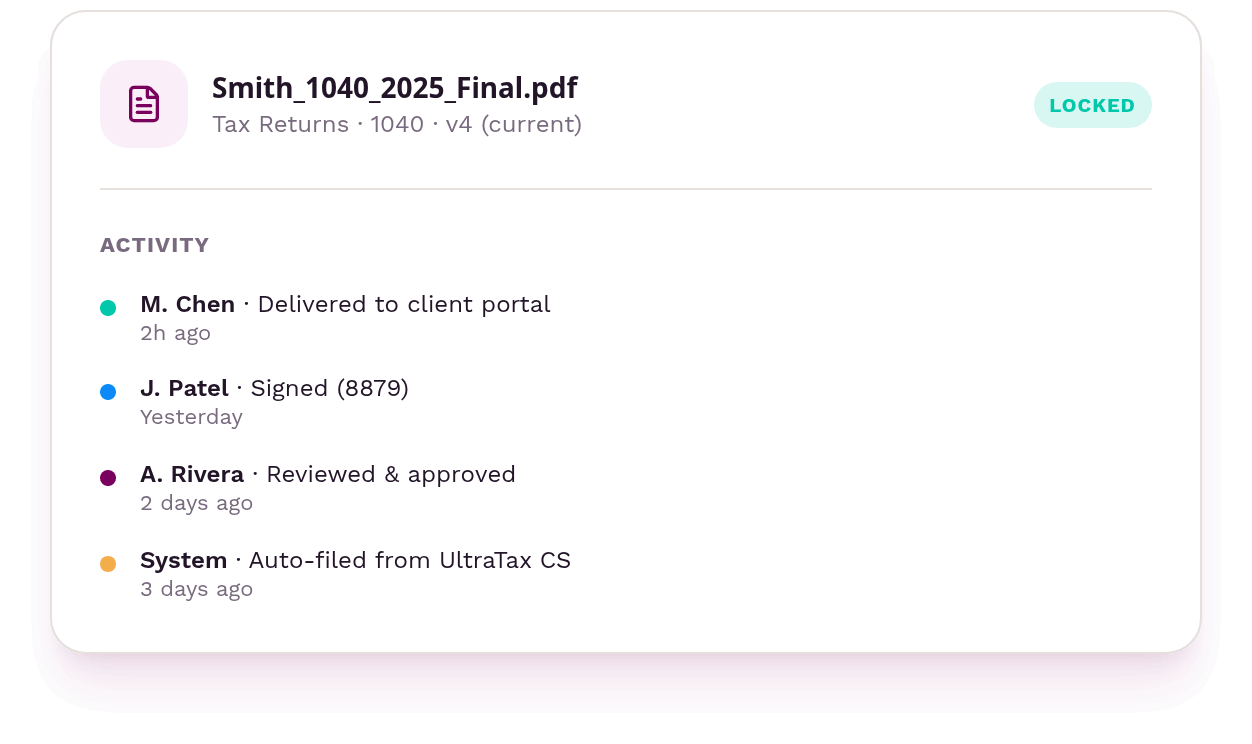
One system of record.
-
Version control on every file
Every edit keeps a prior copy, so any point can be rolled back. -
Firm-wide search & visibility
One search across every client vault, from any device. -
Granular permission models
Show staff and clients exactly what they need, and nothing more. -
Audit trails & activity tracking
See who filed, opened, or shared what, and when.
Document management extends beyond your team.
Branded Client Portals
A professional client experience your firm controls.
Learn moreSmartRequestAI Document Requests
Request lists built from each client's prior-year return, sent, tracked, and reminded automatically. Clients upload securely, no email attachments.
Learn moreE-Signatures & KBAs
8879s, engagement letters, and KBAs — no envelope fees.
Learn moreApproval Workflows
Review, approve, deliver in one flow.
Learn moreMobile Access
Any device, anywhere, staff and clients. SmartScan turns paper into a filed document straight from a phone.
Learn moreSecure Notifications
Status updates keep work moving.
Learn more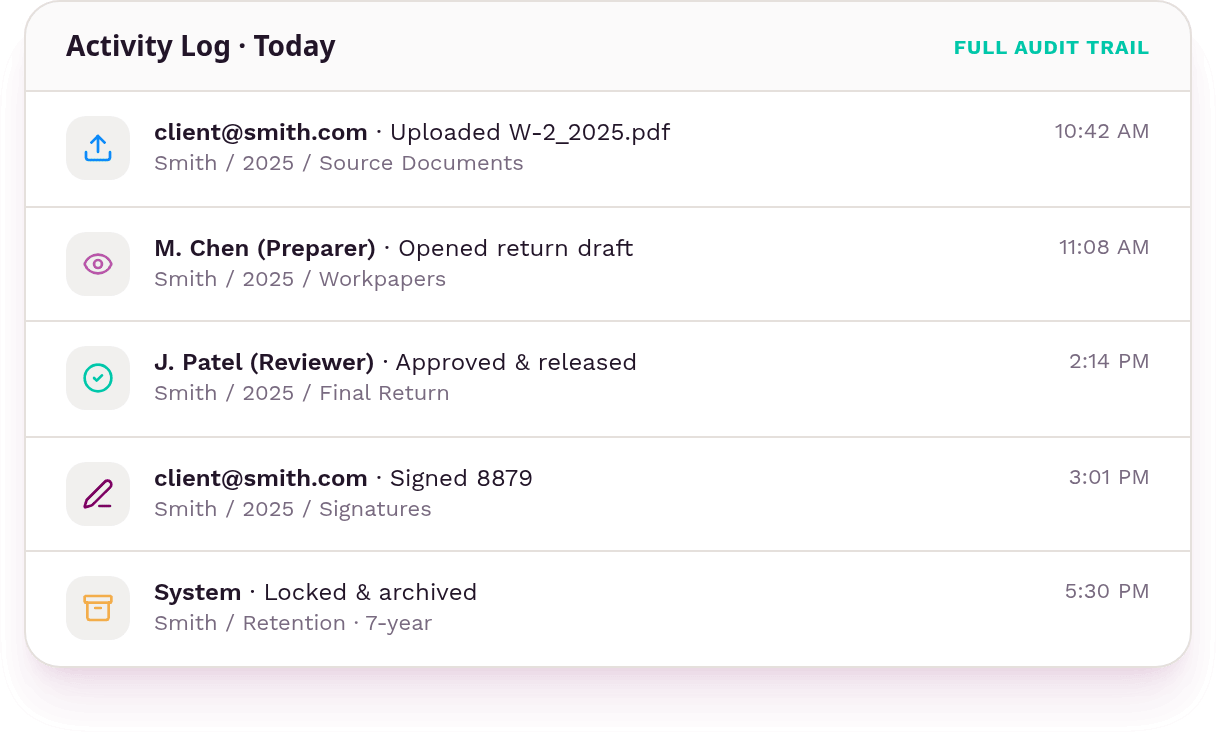
Know who accessed what, when.
-
Full upload & download history
Every file in and out is recorded with time and folder. -
User activity & access tracking
See exactly who opened, edited, or shared each document. -
Retention & legal hold support
Keep files for the years you need, and freeze them on demand.
Manage 50 clients or 5,000 with the same level of organization.
The DMS firms actually stick with.

“SmartVault has streamlined our operations dramatically. We see great gains in efficiency internally, especially in client communications.”
Christa Skoupy, CPA
Auxilia Accounting

“SmartVault completely transformed how we manage documents and workflows. Clients upload files directly into a secure portal, and everything is automatically organized.”
Nick Boscia, CPA
Boscia & Boscia

“It’s so quick and much more efficient than what we used to do. My team doesn’t have to manually pull pages or chase files anymore.”
John Coleman, CPA
Commonwealth Business Services
Closed-loop AI. Your data never leaves the vault.
Not all AI is built the same. SmartVault's closed-loop architecture keeps every document, every interaction, and every AI decision inside a single secure ecosystem.
SmartVault
Closed-Loop Architecture
-
Data Stays In-Ecosystem
Client documents never leave the secure SmartVault environment — no third-party AI providers see your data.
-
Audit-Ready Compliance
Every AI action is logged, traceable, and tied to your firm's retention policies. SOC 2 compliant end-to-end.
-
Reduced Attack Surface
No external API calls, no data in transit to unknown servers. Fewer integration points means fewer vulnerabilities.
Point Solutions
Open-Loop Risk
-
Data Leaves Your Control
Documents are sent to third-party AI services — you lose visibility into where client data is processed and stored.
-
Compliance Gaps
AI actions happen outside your audit trail. Hard to prove chain of custody or meet regulatory requirements.
-
Expanded Risk
Every external integration adds another vendor, another policy, another breach vector to manage.
Security Features
Bottom line: your clients’ data deserves the same standard of care you give their returns.
Have questions? We’ve got answers.
Common questions about tax software integrations, IRS and FTC compliance, client eSignatures, and onboarding.
-
How does SmartVault integrate with my tax software?
SmartVault integrates with leading tax software like ProConnect®, Lacerte®, ProSeries®, Drake®, and UltraTax CS® to streamline your workflow. You can print tax documents directly into SmartVault, where they’re automatically routed and organized into the correct client folders using SmartRouting. This eliminates manual filing, reduces errors, and saves valuable time during busy season.
-
Is SmartVault compliant with IRS and FTC regulations?
SmartVault uses enterprise-grade encryption (AES-256), SOC 2 Type 2 compliance, multi-factor authentication, granular user permissions, and detailed audit trails. We support IRS Pub 4557, the FTC Safeguards Rule, GLBA, HIPAA, and other key regulations.
-
Can clients eSign documents and upload directly into folders?
Yes! Clients can securely upload documents, review files, and eSign forms, like 8879s or engagement letters, from any device, including smartphones and tablets. No app required.
-
What kind of support and onboarding is available?
Every firm gets a dedicated onboarding experience, including guided setup, training resources, and one-on-one support. Our U.S.-based team is here to help with everything from data migration to folder templates to best practices.
Bring order to your firm’s documents.
Gather ideas on how to make your business run more efficiently
Checklists, guides, and firm stories for putting document chaos behind you, one client file at a time.