










SmartRouting: Your tax files, organized the moment you print.

SmartVault beats saving PDFs
Print to PDF
- You name and save every file by hand
- Folder structure depends on who filed it
- Clients wait on an email or a separate upload
Print to SmartVault
- Files are named and routed straight from print
- Same folder logic across the whole firm
- Documents are ready for clients to reach on their own
And it runs both directions. When clients send documents back, SmartScan turns their phone photos of W-2s and 1099s into clean PDFs, filed in the same folders your returns print into.
Print to filed in four steps
Sends the return from your tax software with no extra steps.
Example: printing the Smith 2024 Form 1040 from UltraTax CS.
SmartRouting names each file and splits it into Client, Preparer, and Government copies.
Example: Smith_2024_1040_Client.pdf, Smith_2024_1040_Preparer.pdf, and Smith_2024_1040_Government.pdf.
Each copy lands in the correct SmartVault folder using your firm's structure.
Example: Client → Smith, John › Tax Year 2024 › Client Copies; Preparer/Gov → internal-only folders.
Clients log in and reach their documents on their own — no chasing or emailing files.
Example: John Smith logs into the SmartVault portal and sees only his 2024 client copy.
Works with your tax software.

UltraTax CS
Automated routing from print to the correct folder.

Drake Software
Print-to-file setup that matches your workflow.

Wolters Kluwer
Printed and scanned returns organized consistently.
FileCabinet CS is being sunset.
Thomson Reuters ends support, updates, and integrations at the end of 2027. Firms that wait face rushed timelines mid-tax season — start your move now.
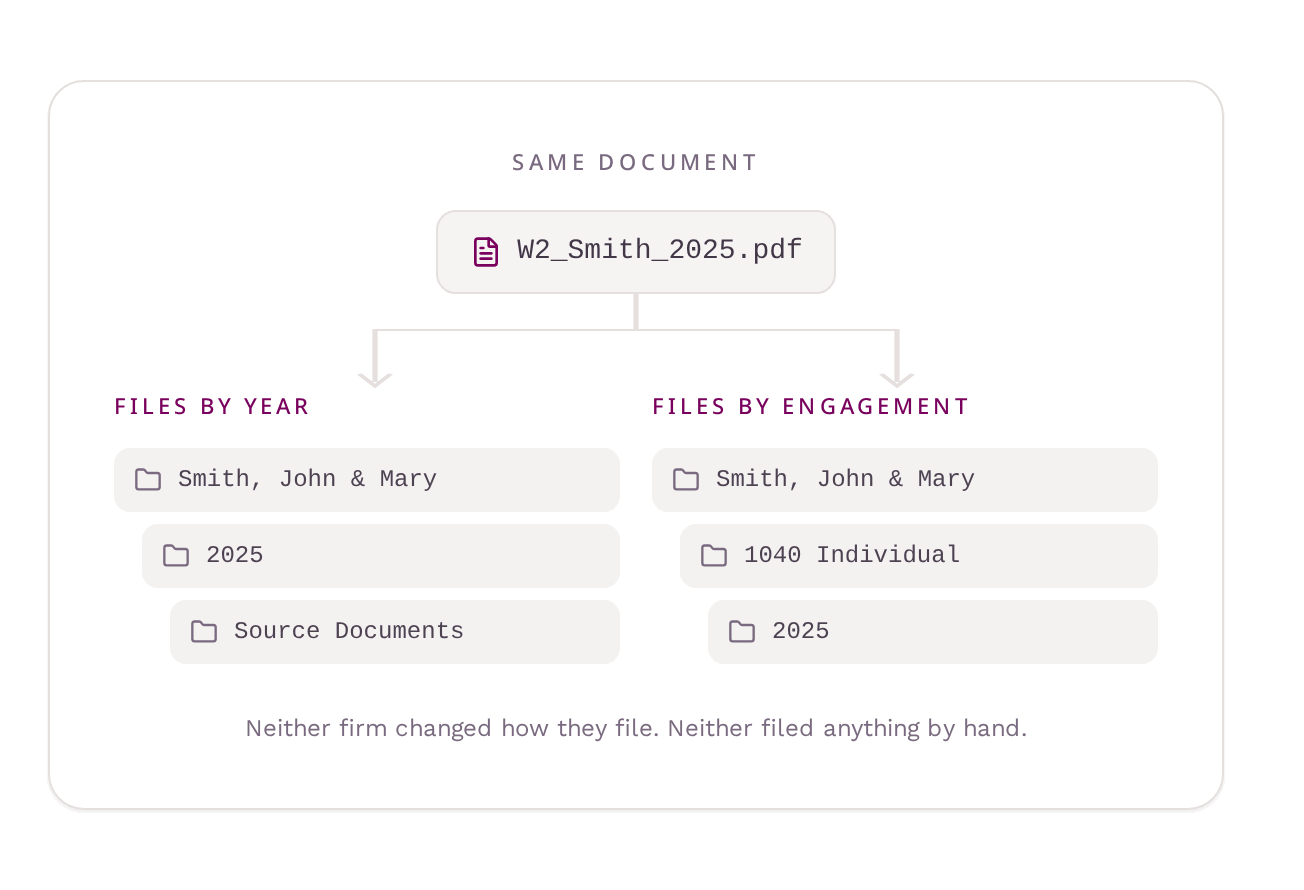
Routing follows your firm’s rules
- Set naming logic by return type, year, or staff role
- Send different document types to different folders
- Apply rules firm-wide or adjust by person or department
- Works with SmartVault Connected Desktop
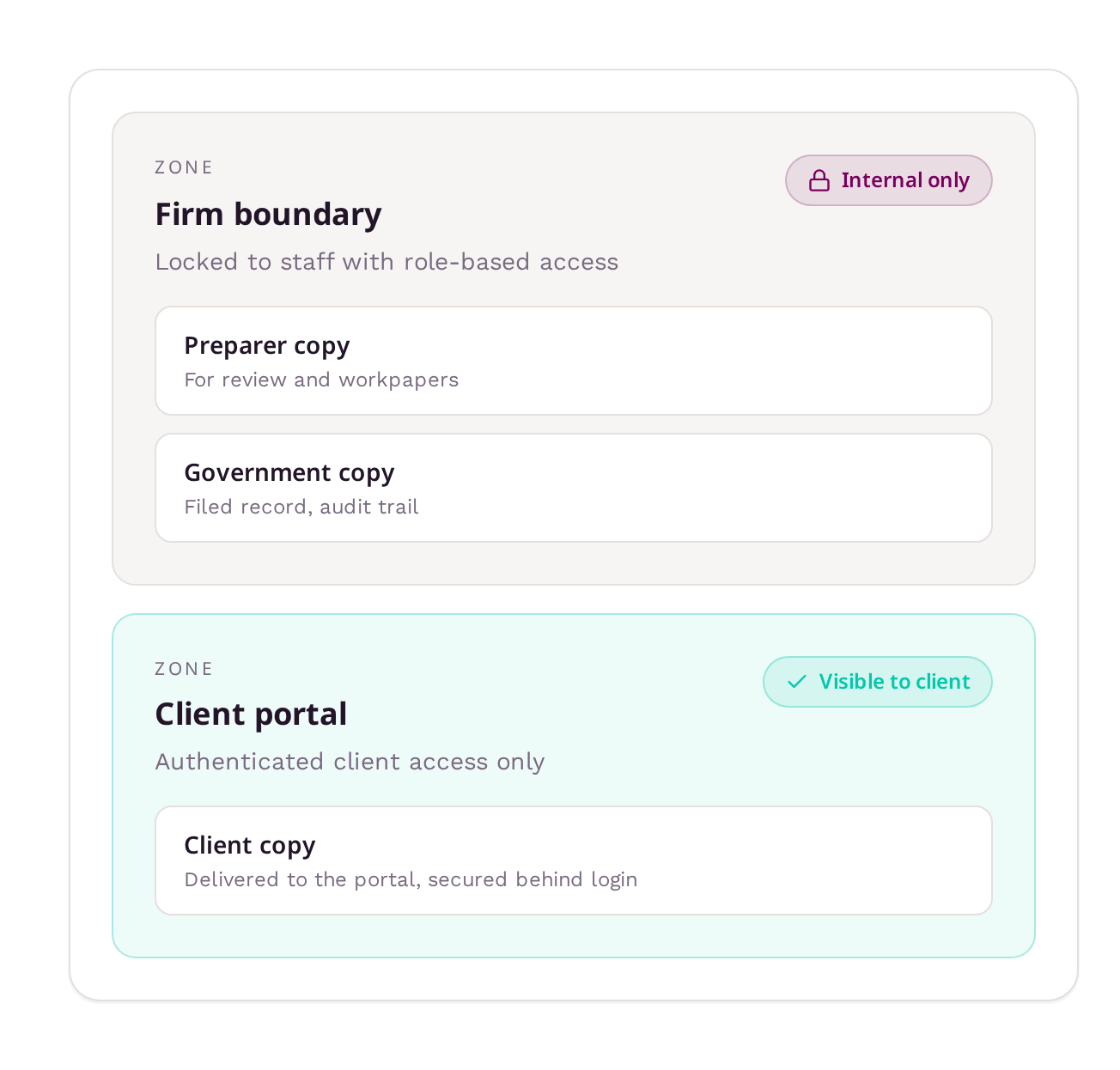
Access is protected by default
- Type-driven, not role-driven — Visibility follows the copy, not the person who filed it.
- No accidental sharing — Internal copies are unreachable from the client portal by design.
- Audit-ready — Every routed copy carries its destination and access record.
“I used to have to print returns to a temporary folder, then upload and sort each one. With SmartRouting, I go straight from UltraTax into SmartVault with one click. It’s a huge time-saver.”