






The Tax Automation Platform for Intuit Users.

Connected directly to your Intuit tax stack.
Intuit Lacerte Tax
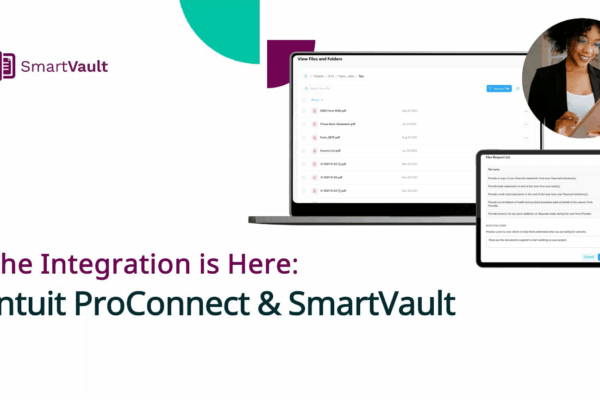
Auto-file returns and source docs by client and tax year.
Intuit ProConnect Tax
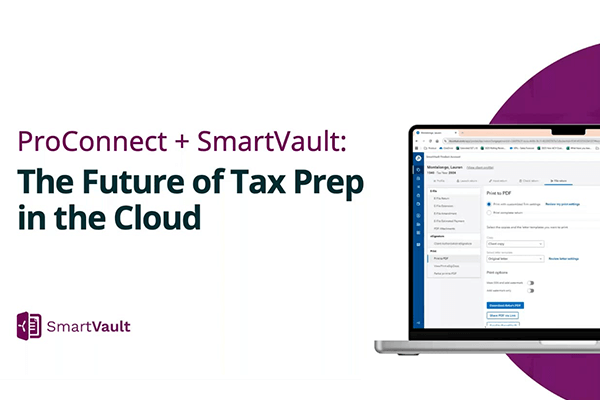
Cloud-native filing, eSignatures, and portal access in one place.

Intuit ProSeries Tax
Structured archives and audit-ready trails for every return.

Intuit QuickBooks
SmartVault document management integration for QuickBooks.
Key Benefits for Intuit Users
Five ways SmartVault works across Lacerte, ProConnect, and ProSeries.
1-Click Integration
SmartVault connects to ProConnect, Lacerte, and ProSeries, so client data moves between the two in one click and every return files itself to the right client folder. Your prep work starts organized instead of scattered.
- Print a return, it routes to the correct client and tax-year folder automatically
- Folder templates and user permissions are created for you
- Move files between your Intuit software and SmartVault with no email, downloads, or manual handling
- One-click push for ProConnect and Lacerte users, sending a prep-ready workpaper back to create the draft return
SmartVault in your firm, in three moves.
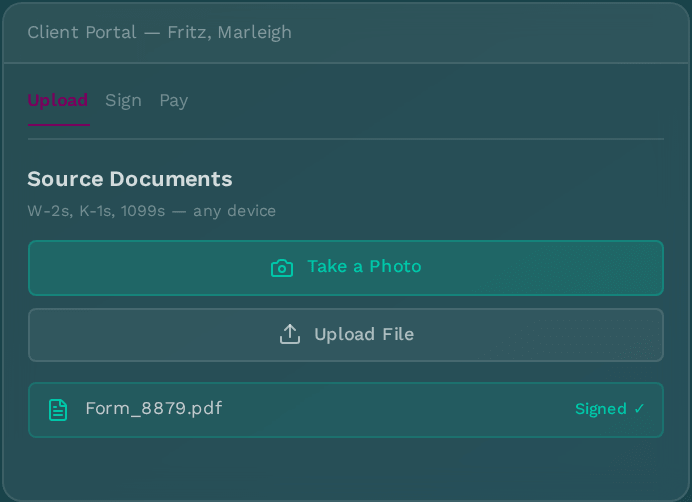
Print the return. It files itself.
Hit Print in Lacerte, ProConnect, or ProSeries. Client, government, and preparer copies land in the right client vault — in the right tax-year folder — every time.
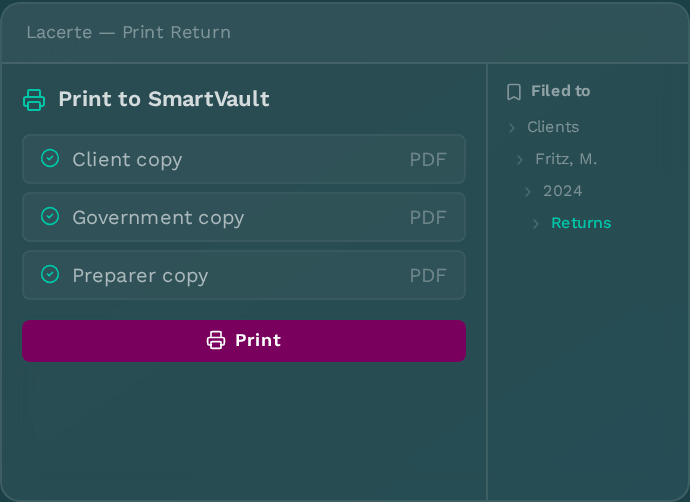
Your client uploads, signs, and pays.
SmartRequestAI builds the request list from last year’s return. Clients drop W-2s, K-1s, and 1099s from any device. 8879 and engagement letter come back signed. SmartRequestAI files each client’s answers and source documents as one bookmarked workpaper.
Every document, searchable. Every action, on the record.
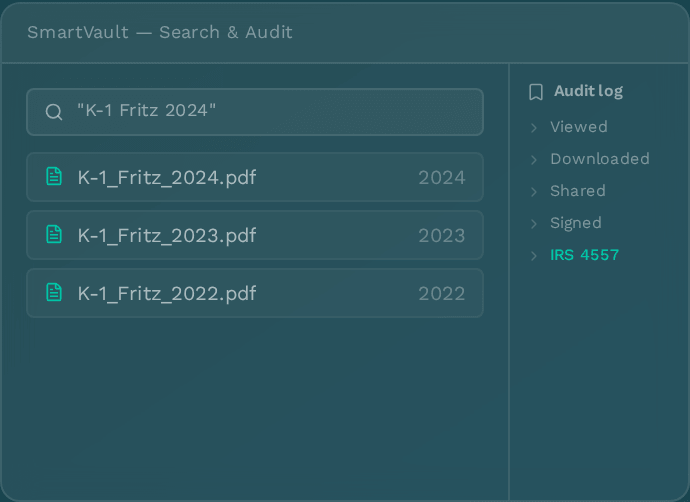
Full-text search across every return, every year, every client. Role-based access, activity logs and a complete audit trail that satisfies IRS 4557 and FTC Safeguards Rule.
Where SmartVault Fits in Your Tax Prep Workflow
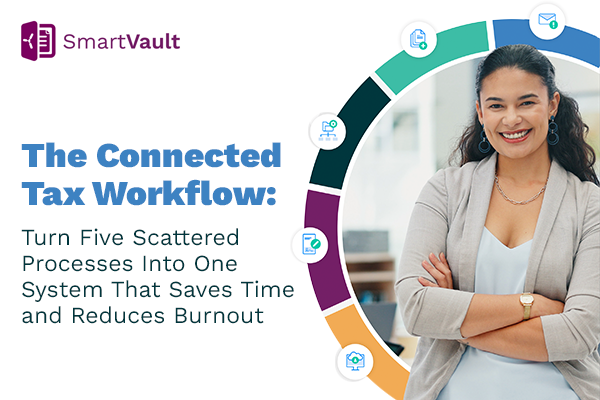
SmartVault connects every stage of tax prep — from client engagement and document collection through prep, review, e-signature delivery, and compliant archiving — so nothing falls through the cracks.
Let’s Map Your Firm’s Workflow Together.
- 15-minute discovery call, on your calendar
- A live look at the workflow for your firm size
- Straightforward pricing and migration options
"*" indicates required fields
Eight features that erase eight tax-season headaches.
AutoFile from Lacerte, ProConnect & ProSeries
Print-to-vault from inside any Intuit tax product. Returns route to the right client, the right tax year, the right folder, automatically.
Branded client portal
Your firm's logo, your URL. Clients upload, download, sign, and pay in a portal that looks like yours, not a generic vendor's.
SmartRequestAI puts together doc request lists
AI reads last year's return and builds this year's request list in seconds. Every answer and document comes back in one bookmarked prep-ready workpaper, filed in the client's folder and ordered for prep.
8879 eSign — DocuSign-powered
Send the 8879, engagement letter, or rep letter for signature. Executed copies file themselves back into the client vault.
QuickBooks file links
Attach source documents directly to QuickBooks transactions. One click from the journal entry to the receipt, across QuickBooks Online and Desktop.
Mobile scan & upload
Your client photographs a W-2 with their phone. It lands in the right folder, named correctly, ready for prep.
Full-text search & audit log
Find any document across any year by client, content, or keyword. Every view, share, and download is on the record — forever.
Folder templates per return type
1040, 1120-S, 1065, 990 — each return type gets the right folder structure the moment you create the client. Same shape, every client, every year.
Switching from Intuit DMS or another DMS? Our team moves your data for you.
Intuit DMS migrations don't require you to extract files into a Windows folder structure first — we handle it.

Migration Consultation
Meet with a SmartVault specialist to review your current data structure, then align on timeline, next steps, and expectations for moving into SmartVault.

Data Upload & Client Matching
Use the Assisted Migration Wizard to upload your data, then run a guided client matching exercise so every document lands in the correct client vault.

Disbursement & Verification
We disburse documents into client vaults and run a clean-up pass to verify your data is organized, accessible, and ready for your team.
*Clients are typically responsible for extracting data into a Windows folder structure prior to upload. Intuit DMS and SmartVault-to-SmartVault migrations are exceptions — no manual extraction required.
Encryption. Access control. Audit trail. The three things you have to defend.
Every client document in SmartVault is encrypted, access-controlled, and logged. Encryption protects the file, role-based permissions decide who opens it, and a full activity log records every action, so your firm can show exactly what happened to any document and when. SmartRequestAI intake runs inside the same secure environment.
SmartVault
Encryption, access, and audit by design
-
Encryption everywhere
Every document is encrypted at rest and in transit, not just in storage.
-
Access down to the folder
Role-based permissions control who can view, edit, or share each file.
-
Complete audit trail
Every upload, edit, signature, and deletion is logged with user, time, and folder.
Point Solutions
Coverage with gaps
-
Partial encryption
Files are encrypted in storage but exposed as they move between disconnected tools.
-
Broad access
Permissions are course or set by hand, so often people see more than they should.
-
Incomplete history
Actions happen across separate tabs, no single audit trail exists.
Security Features
Bottom line: Your clients' data deserves the same standard of care you give their returns.
Trusted by Intuit firms
Have Questions? We've Got Answers.
Common questions about the Intuit + SmartVault integration, security, and migration.
-
What is the best document management system for Intuit Tax Products?
SmartVault is built specifically to work with Intuit’s tax software — Lacerte, ProSeries, and ProConnect — rather than as a generic file storage add-on. It auto-files returns by client and tax year the moment you print, includes a branded client portal for document collection and e-signatures, and maintains a full audit trail for IRS 4557 and WISP compliance. Because it’s a native integration rather than a bolt-on, firms don’t have to manually drag and drop files between their tax software and a separate storage system.
-
Does SmartVault work as a DMS for Lacerte, ProSeries, and ProConnect?
Yes. SmartVault connects directly to all three Intuit tax products. In Lacerte and ProSeries, printed returns and source documents route automatically into the correct client vault and tax-year folder. In ProConnect, the integration works natively in the cloud, so filing, client portal access, and e-signature requests all happen inside the same workflow without switching tools. SmartVault has been Intuit’s recommended document management partner for these products for over a decade.
-
How is a DMS different from the storage that comes built into Intuit tax software?
Intuit’s tax products handle return preparation, but they aren’t built to manage the full document lifecycle around a return — client intake, e-signatures, secure sharing, long-term archiving, and audit logging. A dedicated document management system like SmartVault sits underneath the tax software and handles that layer: it captures documents as they’re created, gives clients a portal to upload and sign from, and keeps a searchable, access-controlled record for every file and action. Without it, firms typically end up patching together separate tools for storage, e-signature, and client communication — or falling back on manual folder management.
-
How do I switch from Intuit DMS to SmartVault?
Our Assisted Data Migration team handles it for you. A dedicated in-house, US-based specialist reviews your current setup, sets a timeline, and moves your data into the right client vaults, so your folders and past returns arrive organized and ready for your team.
-
Is client data sent to an outside AI model when I use SmartRequestAI?
No. SmartRequestAI processes data entirely inside SmartVault’s secure environment, with no external API calls and no client data sent to a third-party LLM. Customer data is never used to train the model. Every SmartRequestAI action is recorded in the activity log, so AI-assisted work stays inside the same SOC 2 Type II audit trail as the rest of your documents.
-
What's the difference between the Lacerte, ProConnect, and ProSeries integrations?
All three file returns to the right client and tax-year folder when you print. ProConnect and Lacerte will also connect directly to SmartVault through SmartRequestAI, pulling prior-year data from your tax software and sending completed answers back as a draft return in one click. ProSeries firms can use SmartRequestAI today with prior-year returns. ProConnect runs in the cloud, and Lacerte and ProSeries connect to your desktop or hosted installation
-
How does SmartVault help my firm comply with IRS Publication 4557 and the FTC Safeguards Rule?
SmartVault provides the controls those rules require you to document in your Written Information Security Plan (WISP): encryption, role-based access permissions, and a complete audit trail of every view, share, and download. SmartVault is SOC 2 Type II compliant. It also keeps documents, e-signatures, and AI actions inside one environment, so your firm can show chain of custody for client data without piecing together logs from multiple vendors.
Still have questions?
Resources for Intuit Users
Guides, demos, and insights to help your firm get the most out of SmartVault + Intuit.